Logging into Stratus Allocator Pro
Login
After TriTech has set up your account, a “Welcome to Stratus” email from noreply@tritechsoft.com will be sent to you. Your username is your company email address. The email includes a link that allows you to set your password. Stratus requires multi-factor authentication to ensure that the person logging in with your username and password is actually you. When setting your password, you will be asked to provide a cell phone number. A code will be texted to you, which you need to enter in Stratus to prove your identity.
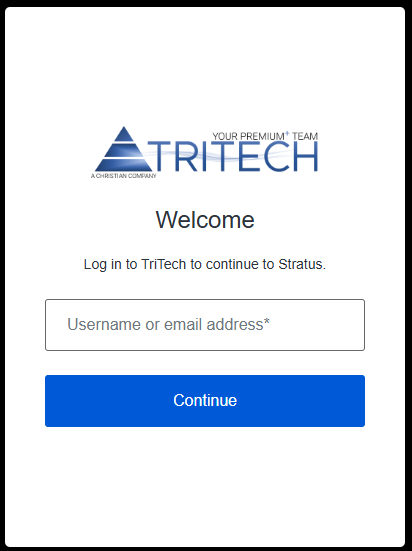
On subsequent log-ins, you will be presented with the Stratus Login on Screen. Enter your email address, select continue and then enter your password.
6-digit code
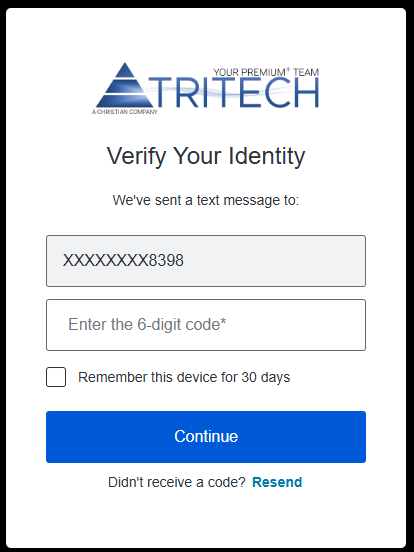
You will be texted a 6-digit code to Enter. Clicking the checkbox below the code will allow you to login for the next 30 days without obtaining another 6-digit code.
Password
If you should forget your password in the future, you may reset it after entering your User ID. Click on the “Forgot password?” link. A “Reset your password” email will be sent to you shortly from noreply@tritechsoft.com. Click on the link in the email to reset your password.
Related Articles